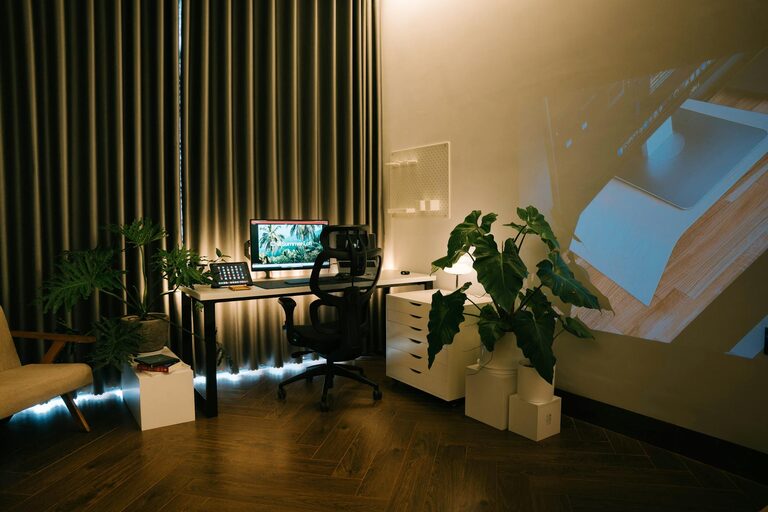
Creating a home office that is both cozy and productive can significantly improve your work-from-home experience. A well-designed space helps you focus better, reduces stress, and makes working from home feel more enjoyable. Whether you have a small corner or a dedicated room, these tips will guide you through setting up an ideal workspace tailored to your needs.
Choose the Right Location
Start by identifying a quiet spot in your home with minimal distractions. If possible, select a space with natural light. Exposure to daylight can improve your mood and energy levels throughout the day.
– Avoid high-traffic areas to reduce interruptions.
– If space is limited, use room dividers or curtains to carve out a dedicated work zone.
– Consider the view: a pleasant scene can refresh your mind during breaks.
Invest in Comfortable and Ergonomic Furniture
Comfort plays a big role in productivity. Sitting for long hours demands good support and proper posture.
– Choose an adjustable chair with lumbar support.
– Use a desk at the right height — your elbows should rest comfortably at 90 degrees when typing.
– An adjustable keyboard tray or stand can help reduce wrist strain.
– If space allows, consider a standing desk option to change positions during the day.
Optimize Lighting
Good lighting reduces eye strain and creates a welcoming atmosphere.
– Position your desk near a window for natural light.
– Add a desk lamp with adjustable brightness for focused tasks.
– Avoid harsh overhead lighting; instead, opt for soft, warm bulbs.
– Reduce screen glare by adjusting monitor angles or using an anti-glare screen.
Organize and Declutter
A tidy workspace helps your mind stay clear and focused.
– Use shelves, drawers, or storage boxes to keep supplies organized.
– Keep only essential items on your desk to minimize distractions.
– Implement a filing system for documents, whether physical or digital.
– Regularly declutter to maintain a pleasant environment.
Personalize Your Space
Adding personal touches can make your office feel inviting and inspire creativity.
– Decorate with plants to bring in a touch of nature; they also improve air quality.
– Hang artwork, photos, or motivational quotes that uplift you.
– Use cozy textiles like a throw blanket or a cushioned chair mat.
– Choose a color scheme that soothes or energizes you, depending on your preference.
Manage Noise Levels
Noise can disrupt focus and reduce productivity. Find ways to control or minimize background sounds.
– Use noise-canceling headphones or white noise machines if needed.
– Soft furnishings like rugs, curtains, and cushions absorb sound.
– Communicate boundaries with housemates or family during working hours.
Set Up Technology Efficiently
Reliable and accessible technology supports a smooth workflow.
– Use a high-speed internet connection.
– Keep cables organized with clips or sleeves to prevent tangling.
– Position monitors at eye level to avoid neck strain.
– Have chargers, external drives, or other peripherals within easy reach.
Establish a Routine and Boundaries
Even with a great setup, creating a daily routine is key to staying productive.
– Define your working hours and stick to them.
– Take regular breaks to stretch and rest your eyes.
– Use a calendar or task planner to organize your day.
– Separate work from leisure time by leaving your office space when done.
—
By following these tips, your home office can become a cozy, productive haven that supports both your wellbeing and your work goals. Remember, the ideal workspace reflects your personal preferences while encouraging focus and comfort. Start with small changes and adjust your setup as you discover what works best for you. Happy working!