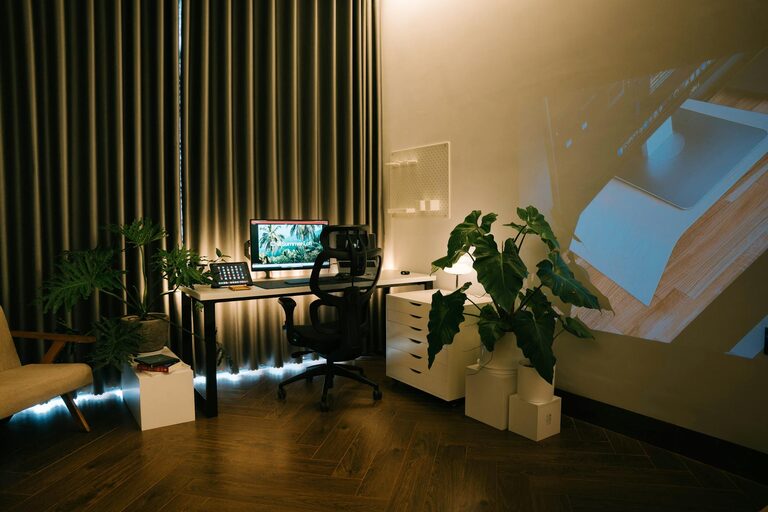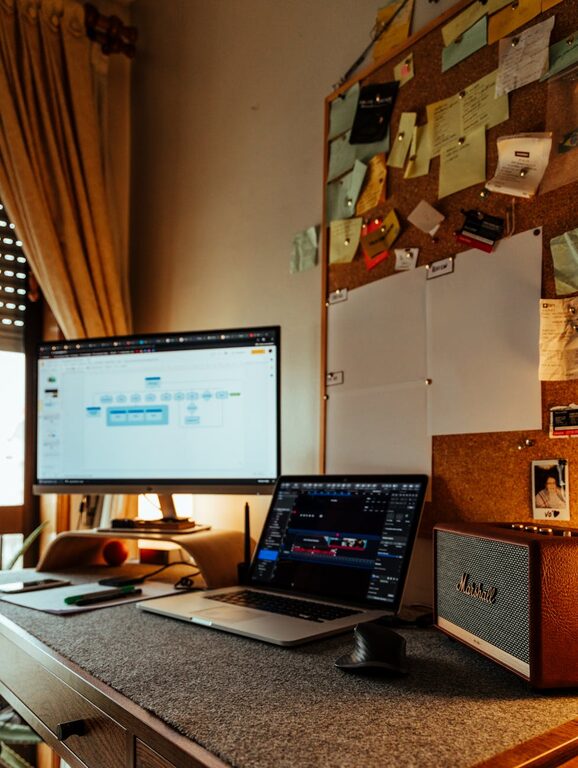
Creating a relaxing home workspace is essential for maintaining focus, reducing stress, and boosting your productivity. Whether you’re working remotely full-time or just need a designated area for occasional tasks, the right environment can make all the difference. In this post, we’ll explore practical tips for setting up a workspace that encourages both comfort and efficiency.
Why a Relaxing Workspace Matters
A cluttered or uncomfortable work area can lead to distractions, fatigue, and reduced motivation. On the other hand, a thoughtfully arranged space promotes mental clarity and helps you stay on track. Your workspace should be a place that feels inviting and energizing, supporting long periods of concentration without causing strain.
Choose the Right Location
The first step is selecting an ideal spot in your home. Consider the following:
– Natural Light: Position your desk near a window if possible. Natural light improves mood and alertness.
– Quiet Area: Pick a low-traffic zone to minimize interruptions.
– Comfortable Temperature: Avoid areas that become too hot or cold to maintain focus.
Invest in Comfortable Furniture
Ergonomics play a vital role in comfort and productivity.
– Ergonomic Chair: Choose a chair that supports your back and encourages good posture.
– Adjustable Desk: If possible, use a desk that allows you to switch between sitting and standing.
– Proper Desk Height: Ensure your desk height lets your arms rest comfortably while typing or writing.
Organize Your Workspace Effectively
A tidy and organized workspace promotes a calm mind.
– Declutter Regularly: Remove unnecessary items from your desk daily.
– Use Storage Solutions: Utilize shelves, drawers, or organizers to keep supplies neat.
– Limit Distractions: Keep only essential items on your desk to reduce visual noise.
Personalize Your Space
Adding personal touches can make your workspace more inviting.
– Plants: A small plant can improve air quality and add a touch of nature.
– Artwork or Photos: Choose images that inspire or bring joy.
– Comfort Items: Soft cushions or a cozy throw can make your chair more inviting.
Control Lighting and Screen Glare
Avoid eye strain by managing your lighting setup.
– Adjustable Lighting: Use a desk lamp with adjustable brightness for task lighting.
– Screen Position: Position your computer screen to minimize glare from windows or lights.
– Blue Light Filters: Consider screen protectors or software to reduce blue light exposure, especially in the evening.
Incorporate Relaxation Elements
Adding subtle features to promote relaxation helps maintain balance.
– Aromatherapy: Use essential oil diffusers with calming scents like lavender or eucalyptus.
– Noise Control: Use noise-cancelling headphones or soft background music to block distracting sounds.
– Break Areas: Designate a nearby spot for stretching or taking short breaks to refresh your mind.
Maintain Healthy Habits
Your workspace setup goes hand in hand with good routines.
– Regular Breaks: Follow the 20-20-20 rule—every 20 minutes, look 20 feet away for 20 seconds.
– Stay Hydrated: Keep a water bottle nearby.
– Movement: Incorporate light stretches or short walks throughout the day.
Tips for Staying Motivated in Your Workspace
Creating a pleasant environment is just the beginning.
– Set Goals: Write down daily tasks to stay focused.
– Time Management Tools: Use timers or apps to manage your work periods and breaks.
– Comfortable Attire: Dress comfortably to enhance your mindset without sacrificing professionalism.
Final Thoughts
Designing a relaxing home workspace is about balancing comfort with functionality. By carefully considering location, furniture, organization, and personal touches, you can create an environment that supports your best work. Remember that small adjustments can make a big difference in how you feel and perform each day. Give these tips a try and watch your productivity and comfort improve in tandem.